Yes. Call attach(to:) with your window once, and the rest of the API works exactly as in SwiftUI.
In-app surveys for iOS, native in SwiftUI
WhiskrKit is a Swift package that shows short surveys inside your iOS app. The surveys are real SwiftUI views, so they look like part of your app: your fonts, your colors, Dynamic Type, VoiceOver and dark mode included. You write the questions and decide who sees them in the dashboard, and change them without shipping an app update.
One modifier, one survey
Add .whiskrKitSurvey(identifier:) to the screen where the survey belongs. That's the integration.
struct HomeView: View {
    var body: some View {
        TripList()
            .whiskrKitSurvey(identifier: "trip-planner-nps")
    }
}
WhiskrKit checks the targeting rules you set in the dashboard, like "after 5 sessions" or "for 20% of users", and only presents the survey when the user qualifies. Apart from initializing once at launch, there's nothing else to wire up.
Five question types, and when to use each
The right question type depends on what you want to learn. A rough guide:
| Question type | Best for | Example |
|---|---|---|
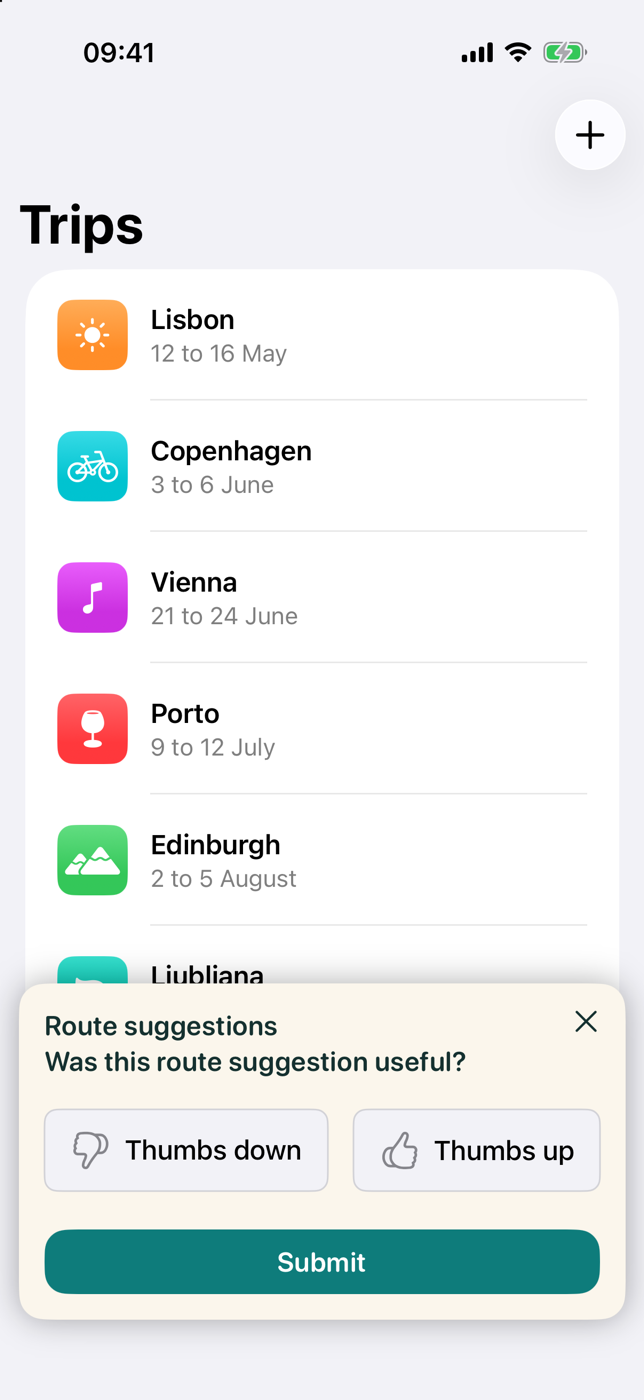
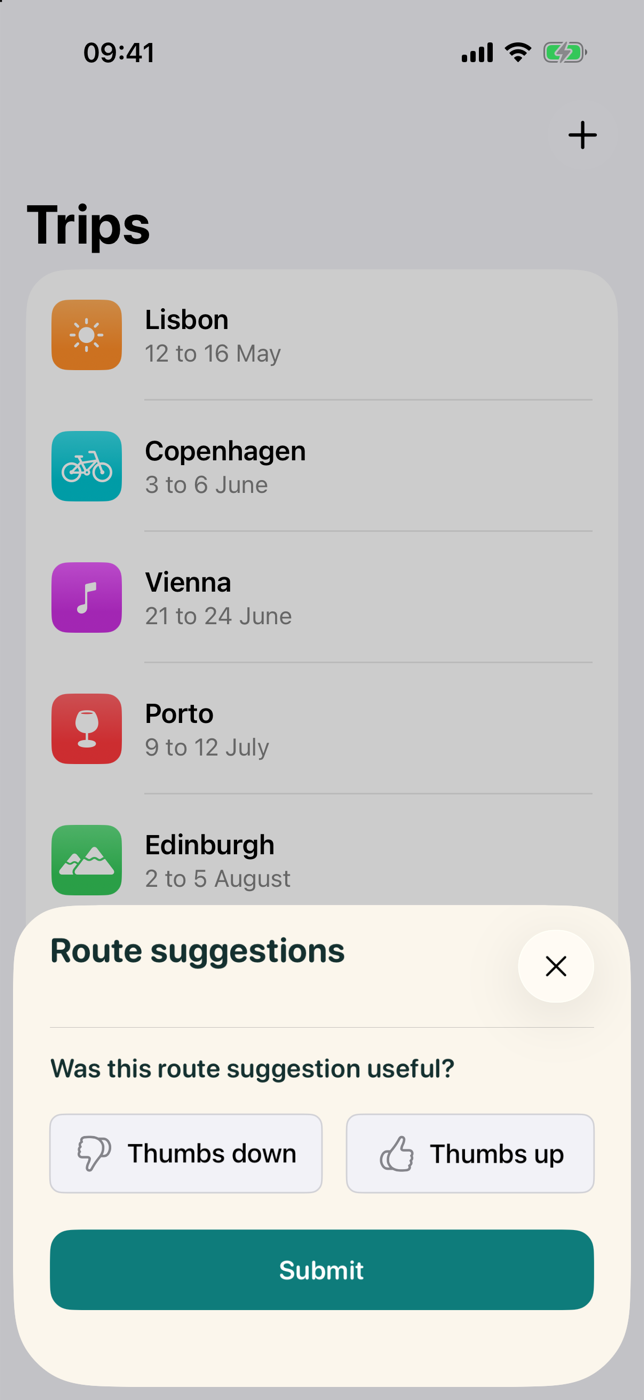
| Thumbs up/down | A quick check right after an action | "Was this route suggestion useful?" |
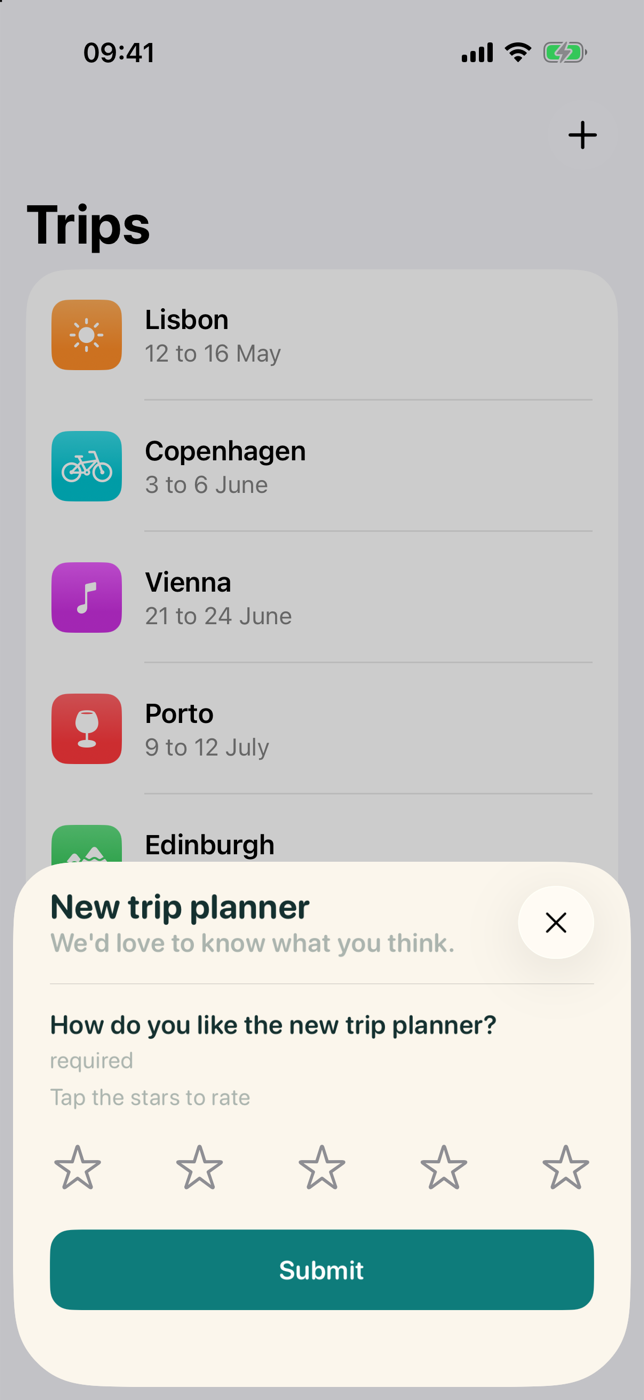
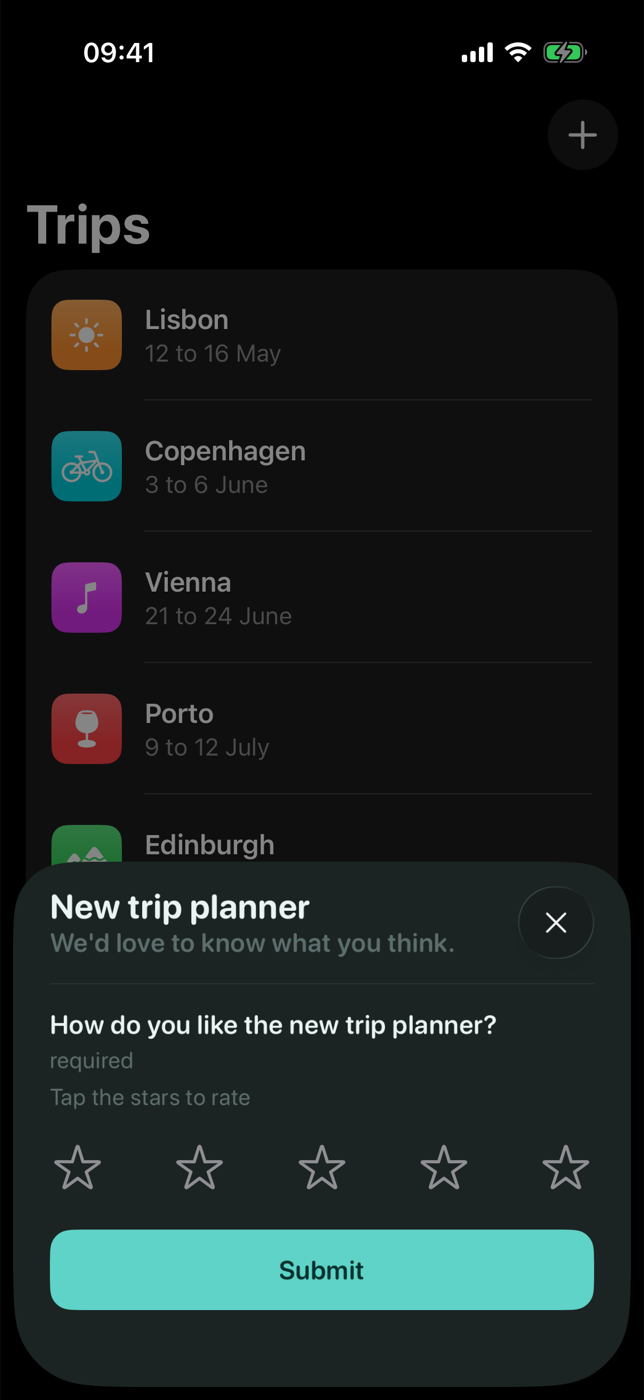
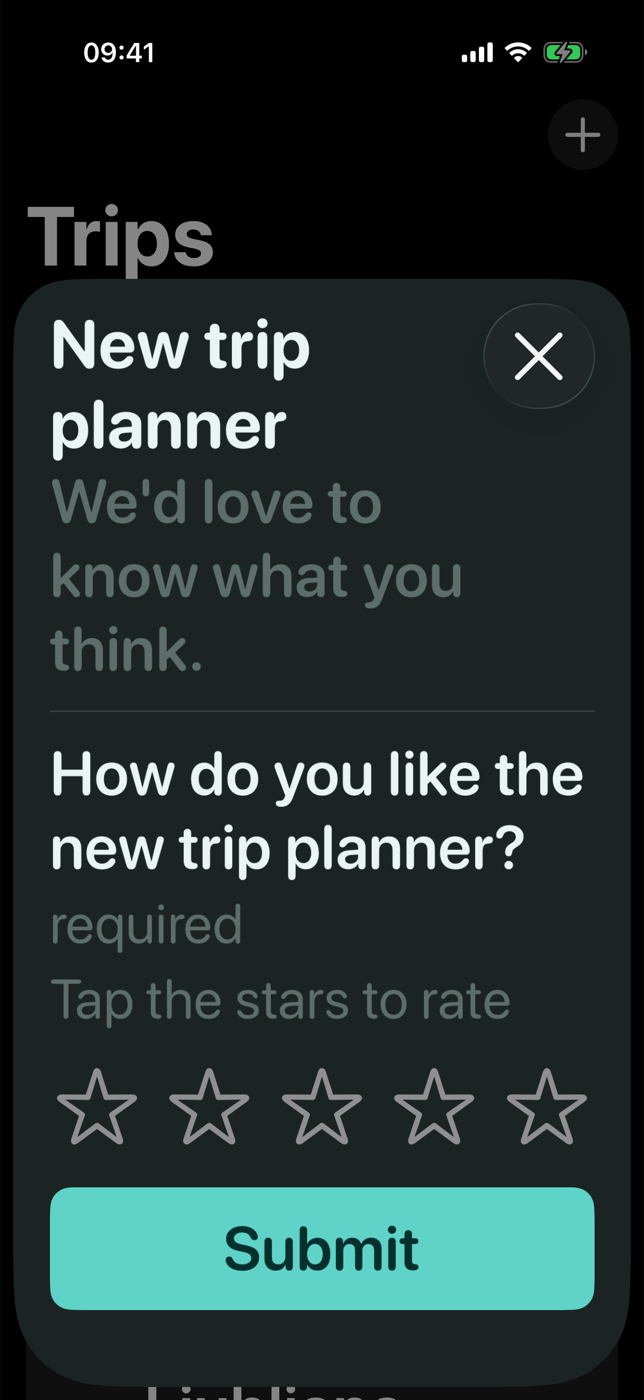
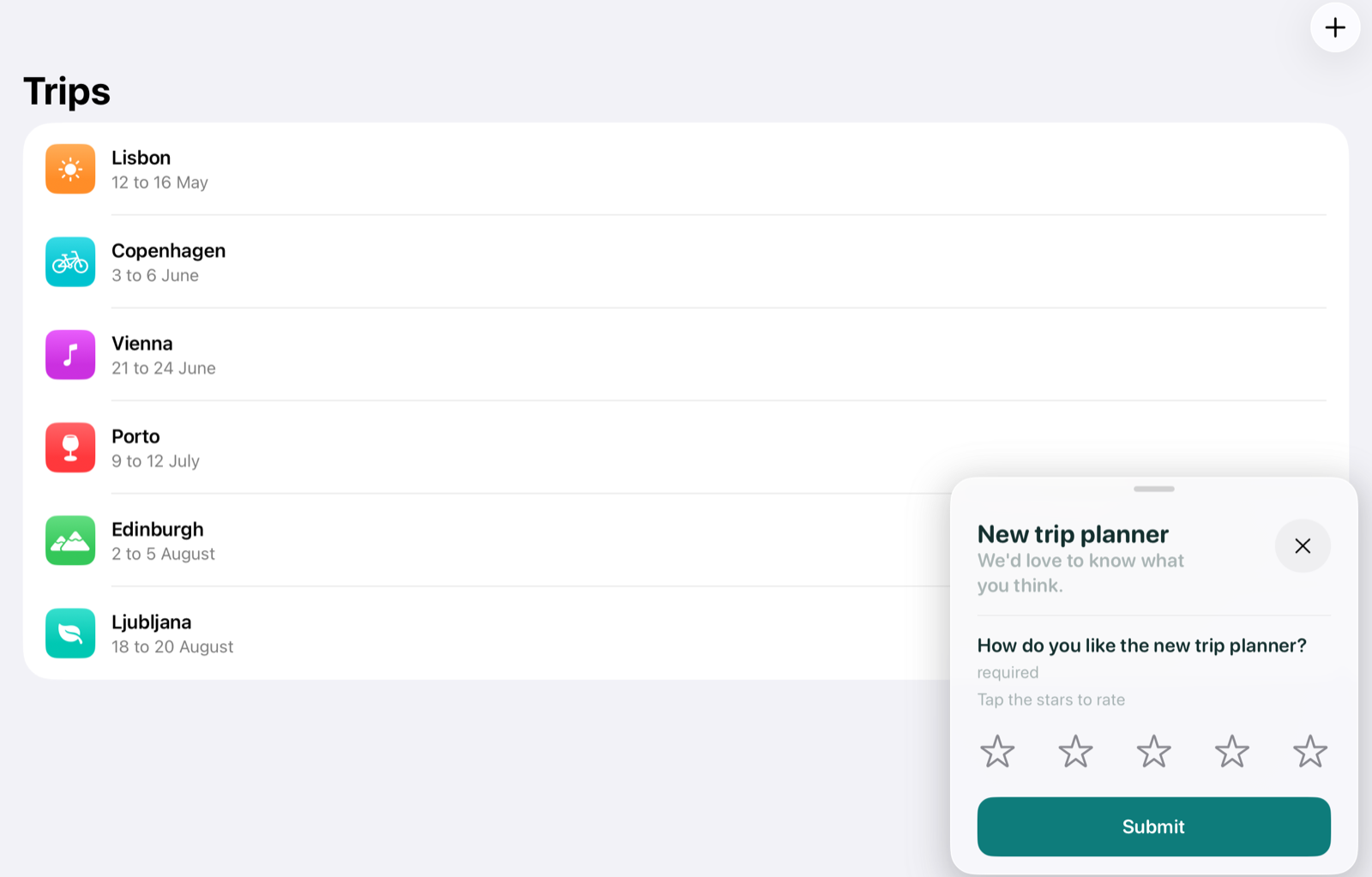
| Star rating | Satisfaction with one specific feature | "How do you like the new trip planner?" |
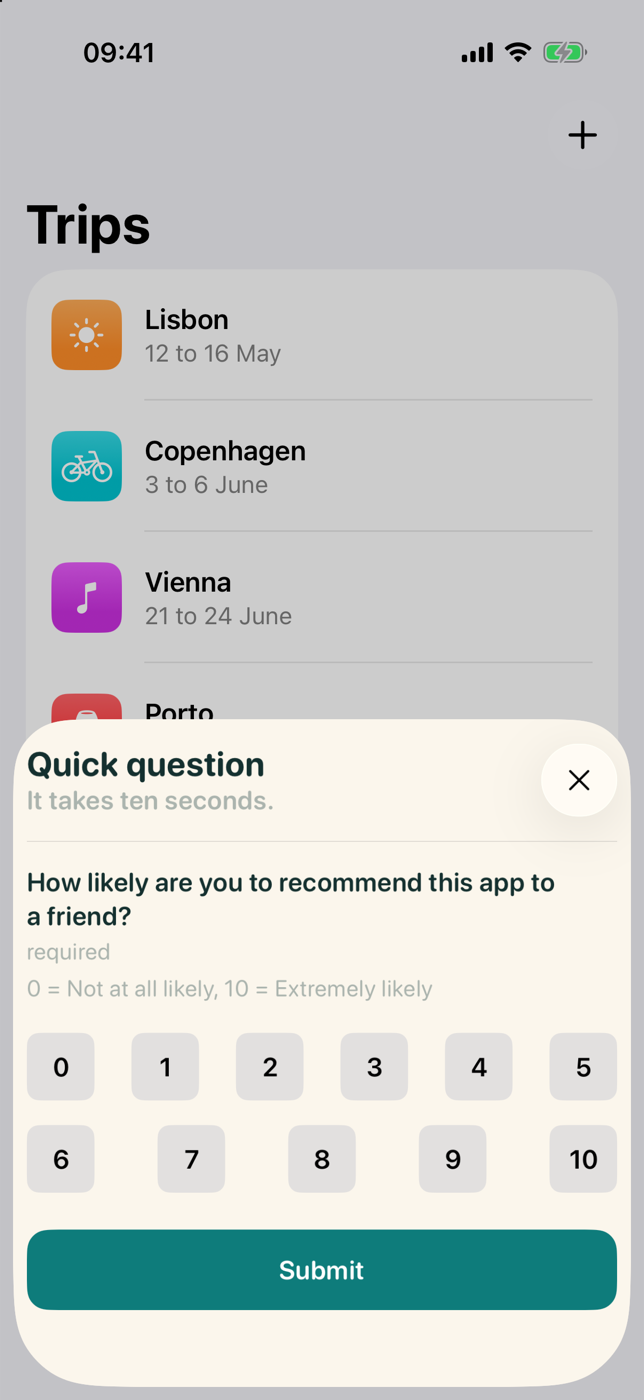
| NPS (0 to 10) | Loyalty over time, after real usage | "How likely are you to recommend this app to a friend?" |
| Multiple choice | Sorting users or picking priorities | "What should we build next?" |
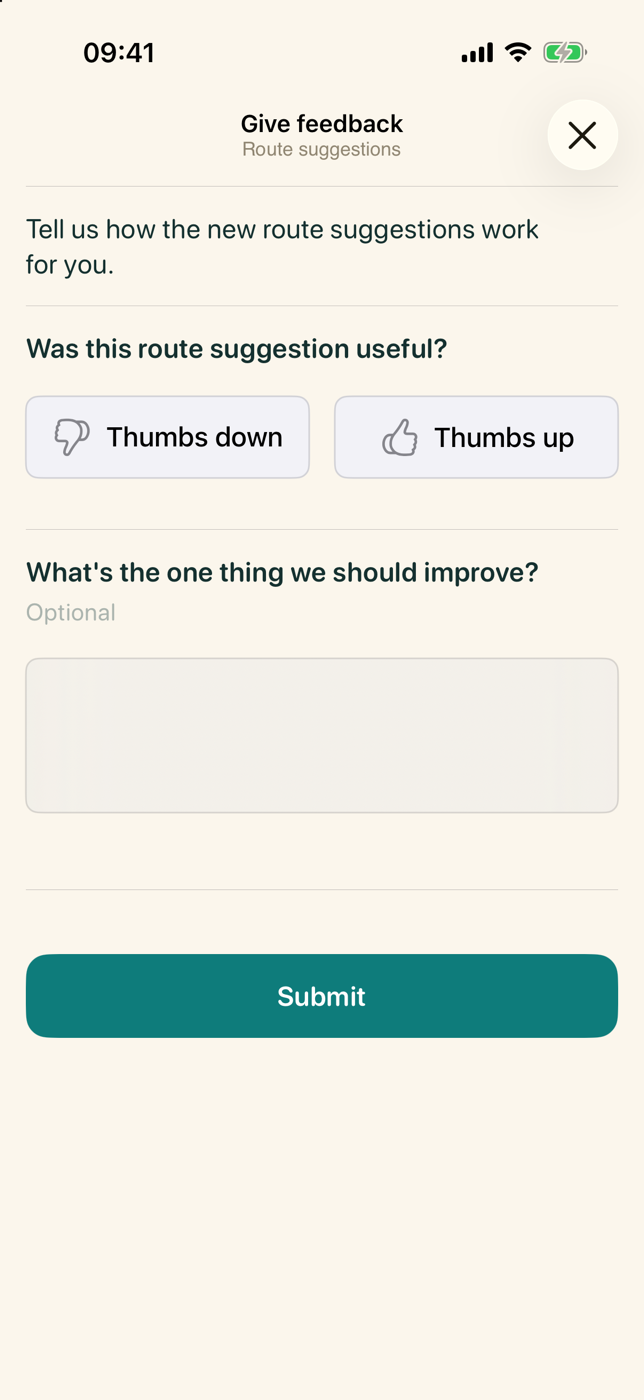
| Free text | The why behind a score | "What's the one thing we should improve?" |
A score tells you that something is off; a free-text follow-up tells you what. Pairing an NPS or star question with one optional text field is often all you need.
Three presentation styles
How a survey appears matters as much as what it asks. You set the style per survey in the dashboard.
| Style | What it does | Use it for |
|---|---|---|
| Toast | A small card at the bottom; the app stays usable | One quick question after an action |
| Sheet | A bottom sheet the user can swipe away | Two or three questions at a natural pause |
| Full screen | Takes over the screen | Longer surveys the user chose to open, like from a "Give feedback" button |
Three ways to trigger a survey
You decide how much control you want over the timing, and how much over who gets asked.
| Method | You decide when | Dashboard decides who | Good for |
|---|---|---|---|
.whiskrKitSurvey(identifier:) | No | Yes | Surveys tied to a screen |
checkAndPresent(surveyId:) | Yes | Yes | Right after a flow finishes |
present(surveyId:) | Yes | No | Feedback buttons, push notifications |
The middle option is the one most apps end up using most. The moment is yours, but the targeting and repeat rules still apply:
.sheet(isPresented: $showingCheckout, onDismiss: {
    WhiskrKit.shared.checkAndPresent(surveyId: "checkout-feedback")
}) {
    CheckoutView()
}
For a "Give feedback" button, present(surveyId:) shows the survey straight away. It also works
from a push notification handler, so you can invite users to a survey with a notification.
Works in UIKit and hybrid apps too
Not every app is SwiftUI end to end. In a UIKit app, register your window once and the whole API works the same:
WhiskrKit.shared.initialize(apiKey: "your-api-key")
WhiskrKit.shared.attach(to: window)
Surveys appear in a transparent overlay above your window. While no survey is showing, every touch passes straight through to your app. This is also how WhiskrKit runs inside React Native and Flutter apps; see the React Native and Flutter docs.
Make it look like your app
A survey that looks like a third-party popup gets dismissed. WhiskrKit takes your design instead:
- Text styles: your fonts and colors for title, subtitle, headline, subheadline and body.
- Buttons: a primary and a secondary style.
- Containers: separate styling for toasts, sheets and full-screen surveys.
WhiskrKit.shared.setTheme(myTheme)
No time to set up a theme? The built-in systemStyle preset follows Apple's system look and works
in light and dark mode.
Theming is part of the native iOS API. The React Native and Flutter wrappers don't expose it.
One thing you can't change: the answer controls themselves. That's on purpose. It keeps contrast and tap targets accessible, whatever brand colors you choose.
Accessible by default
Every survey supports VoiceOver and Dynamic Type, all the way up to the largest text sizes. Give WhiskrKit adaptive colors and fonts, and dark mode and text scaling just work. The built-in labels, like the buttons to submit or skip, come translated into Dutch, German, French, Spanish, Italian, Portuguese (Brazil), Japanese, Korean and Simplified Chinese, and subtle haptics confirm each answer.
Built for iPad, not stretched to it
On iPad, a full-width bottom sheet looks out of place. On regular-width screens, WhiskrKit shows sheet surveys as a floating panel and can anchor toasts to a corner. Your app stays usable behind them. On iPhone, Slide Over and narrow Split View, surveys fall back to the familiar bottom presentation, and the layout updates live as windows resize.
You choose where surveys sit, because only you know which edges of your layout are free:
WhiskrKit.configure {
    $0.defaultSheetPlacement = .trailing
}
How to ask for feedback without annoying your users
Most in-app surveys fail because of timing, not because of the questions. Whatever tool you use, these habits make the difference:
- Don't ask on launch. Someone who just opened your app wants to do something. Wait until they've used it, say a few sessions in, before asking how they like it.
- Never interrupt a task. Ask right after something is done: a booking confirmed, a workout saved, a sheet closed. That's what
checkAndPresentis for. - Ask one question. One question with an optional text field gets far more answers than five questions. Save longer surveys for users who opt in.
- Ask a sample, not everyone. Showing a survey to 10 to 20% of users is usually enough for a clear picture, and leaves the rest alone.
- Don't ask the same person again soon. Set a repeat policy so someone who answered, or dismissed, isn't asked again next week.
- Keep ratings and surveys apart. For App Store ratings, use Apple's own review prompt. Use surveys to learn what to improve, not to steer happy users to the App Store.
- Close the loop. When feedback leads to a change, mention it in your release notes. Users who see their answers matter answer again.
WhiskrKit's targeting rules (session counts, time intervals, audience percentage and repeat policy) are built around these habits, so the polite way is also the default.
Try it before you integrate it
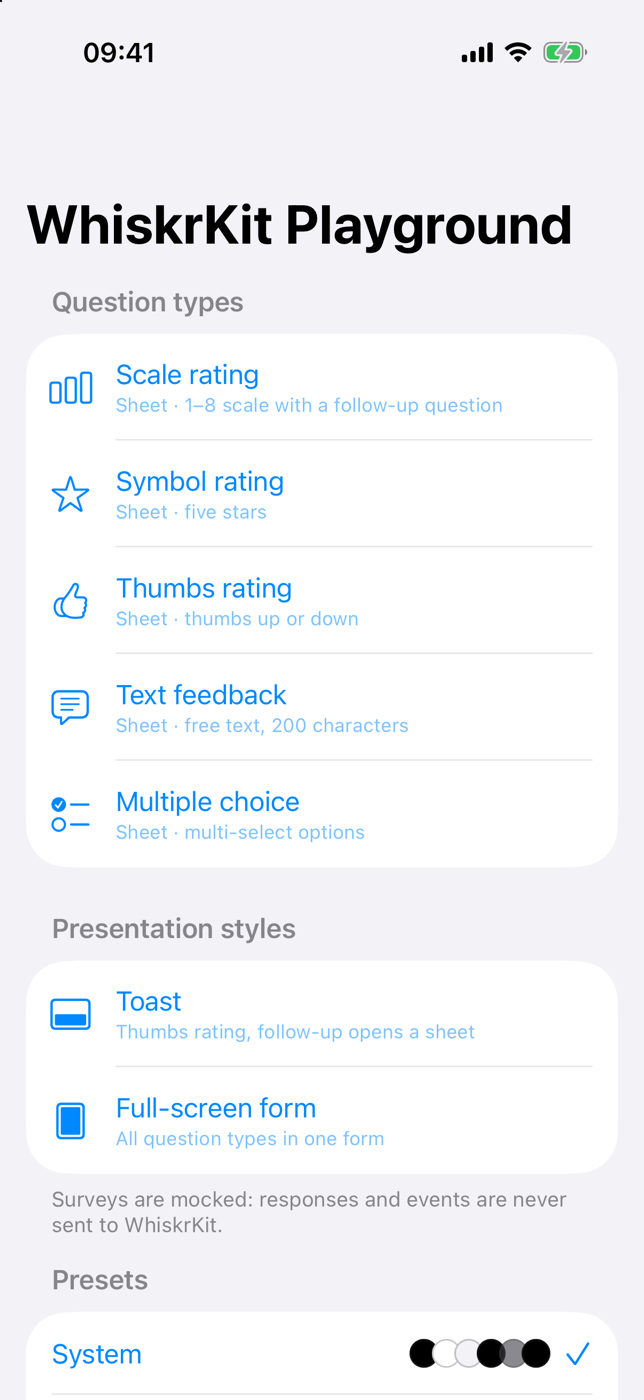
The SDK repository includes the WhiskrKit Playground, a small app that runs without an account, API key or backend. Nothing is sent anywhere. On one screen you can:
- present every question type and presentation style,
- try theme presets or change single colors,
- copy the matching
setThemecode into your own app.
Open Examples/WhiskrKitPlayground in the repository and press Run.
Your users' answers stay in the EU
WhiskrKit is built and hosted in Europe. Survey responses are stored on servers in the EU, on encrypted storage. A data processing agreement (DPA) is available for every customer, and WhiskrKit never uses responses to train AI models. Read more on the privacy page.
Requirements
- iOS 17 and iPadOS 17 or later
- SwiftUI or UIKit
- Swift Package Manager
Installation
In Xcode, choose File › Add Package Dependencies and enter:
https://github.com/WhiskrKit/WhiskrKit-SwiftOr add it to Package.swift:
.package(url: "https://github.com/WhiskrKit/WhiskrKit-Swift", from: "0.2.0")Then initialize once at launch with the API key from your dashboard:
@main
struct MyApp: App {
    init() {
        WhiskrKit.shared.initialize(apiKey: "your-api-key")
    }

    var body: some Scene {
        WindowGroup {
            ContentView()
                .whiskrKit()
        }
    }
}
The SDK is open source under the MIT license.
FAQ
Common questions about the WhiskrKit iOS SDK.
iOS 17 and iPadOS 17 or later.
Yes. The Playground app in the repository uses mocked surveys, so you need no API key and nothing is sent anywhere.
No. Questions, presentation style and targeting live in the dashboard. You only touch code to add a new place where a survey can appear.
Yes. Pass the survey ID in the notification's payload and call present(surveyId:) when the user taps it.
Nothing visible. With no network, an unknown survey ID or a wrong API key, the survey simply doesn't appear, and your app carries on. Details show up in Console.app under the eu.WhiskrKit.iosFramework subsystem.
Yes, with layouts made for large screens: floating panels and corner-anchored toasts, which adapt as windows resize.
On servers in the EU, on encrypted storage. See the privacy page.
Yes. Both wrappers use this same native SDK on iOS, so your surveys stay native SwiftUI. The wrappers don't expose the theming API. See the React Native and Flutter docs.
Yes. The Android SDK talks to the same backend and uses the same survey templates. See the Android page.
There's a free plan with 100 responses a month, and paid plans start at €29 a month, excluding VAT. During the beta every account gets the Growth limits for free until 2 April 2027. See pricing.
Hear from your users, inside your app
Add WhiskrKit with one Swift package and your first survey can be live today.